Bring your own server
Stop paying for overpriced cloud services. Connect to any server from Hetzner, DigitalOcean, OVH, AWS, or another provider. Deploy Dash handles the setup and keeps costs predictable.
The magic of expensive cloud platforms, right from your desktop, on your own servers. Uncomplicated.
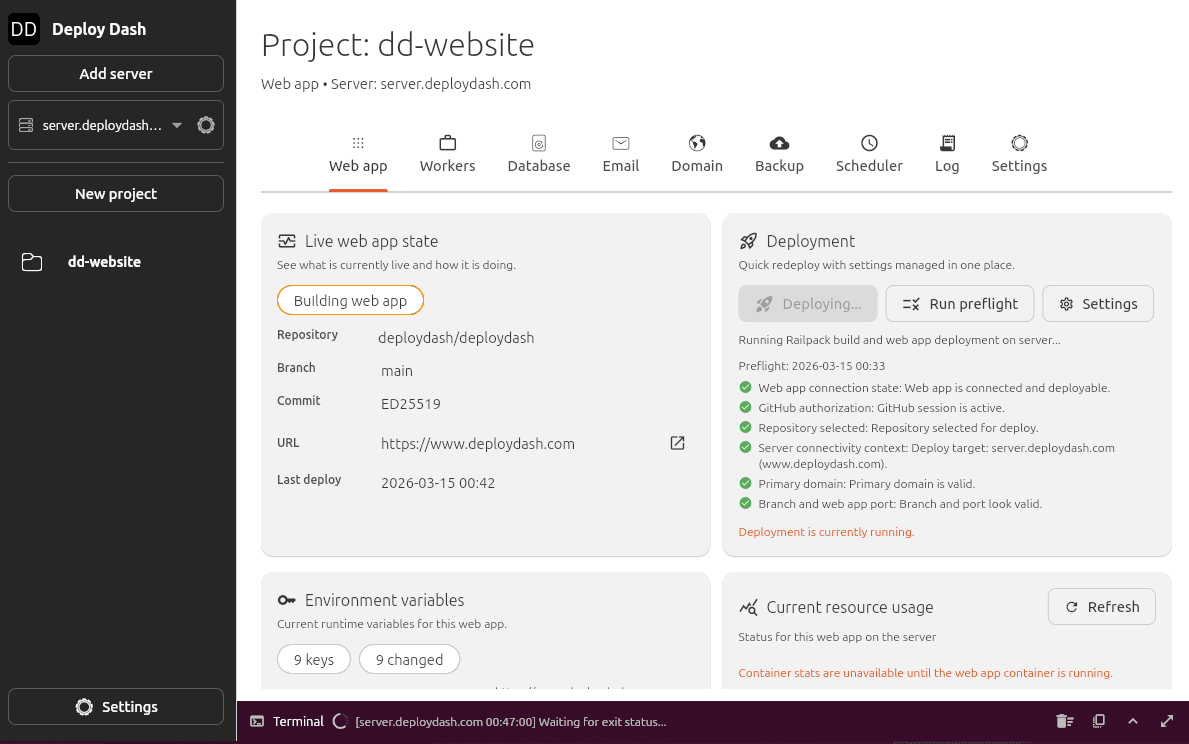
Stop paying for overpriced cloud services. Connect to any server from Hetzner, DigitalOcean, OVH, AWS, or another provider. Deploy Dash handles the setup and keeps costs predictable.
Connect your repository and click deploy. Deploy Dash builds the app, sets up HTTPS, configures the database, and schedules backups.
Deploy Dash is a native app that runs locally on your Windows, Mac or Linux computer. Your server credentials and code never touch our servers. You own your data.
Enter the IP address and login details of a fresh Ubuntu server. Deploy Dash tightens security settings before you deploy.
Deploy Dash configures your server, sets up secure HTTPS, and prepares a Postgres database.
Connect your GitHub repository and deploy your app, such as Next.js, Laravel, Django, or a static site. Deploy Dash builds the application, sets up the database, and automatically applies an SSL certificate.
Desktop downloads are in final development. Join the waitlist and we'll email you when binaries are available.
 Next.js
 Express
 NestJS
 Remix
Remix Nuxt
Nuxt SvelteKit
 React
React React Router
 Ghost
Ghost Laravel
 Symfony
 WordPress
 Drupal
 Joomla
 Django
 FastAPI
 Flask
Flask Streamlit
 Astro
Astro HTMX
HTMX Jekyll
 Hugo
Hugo Spring Boot
 Quarkus
 Ruby on Rails
 Blazor
 Phoenix